
How to Use the ConferenceBadge Lead Retrieval Generator
Quick summary
ConferenceBadge’s Lead Retrieval Generator turns attendee badges into practical lead-capture tools for trade shows, conferences, exhibitions, university events, and corporate meetings. Instead of requiring exhibitors to rent scanners or install another event app, organizers can enable lead retrieval within their ConferenceBadge event, allowing exhibitors to scan attendee badge QR codes from a phone browser, add notes and qualification details, and receive their captured leads as a structured CSV after the event.
For organizers, the advantage is less about adding another piece of event technology and more about connecting something attendees already need, their badge, to the networking and follow-up process.
Try the Lead Retrieval Generator
Watch: Lead Retrieval Generator Overview
Start with this short overview to see how the Lead Retrieval Generator works and how it can support badge scanning, exhibitor lead capture, and event follow-up.
You’ll see:
How lead retrieval fits into an existing ConferenceBadge event
How attendee badge QR codes become part of the capture process
How exhibitors can scan from their phones without dedicated hardware
How notes and qualification information can be added to leads
What exhibitors receive when the event is over
ConferenceBadge describes the system as browser-based and designed to work on exhibitors’ existing phones rather than requiring another app download or rented scanning device.
What Is Lead Retrieval for Events?
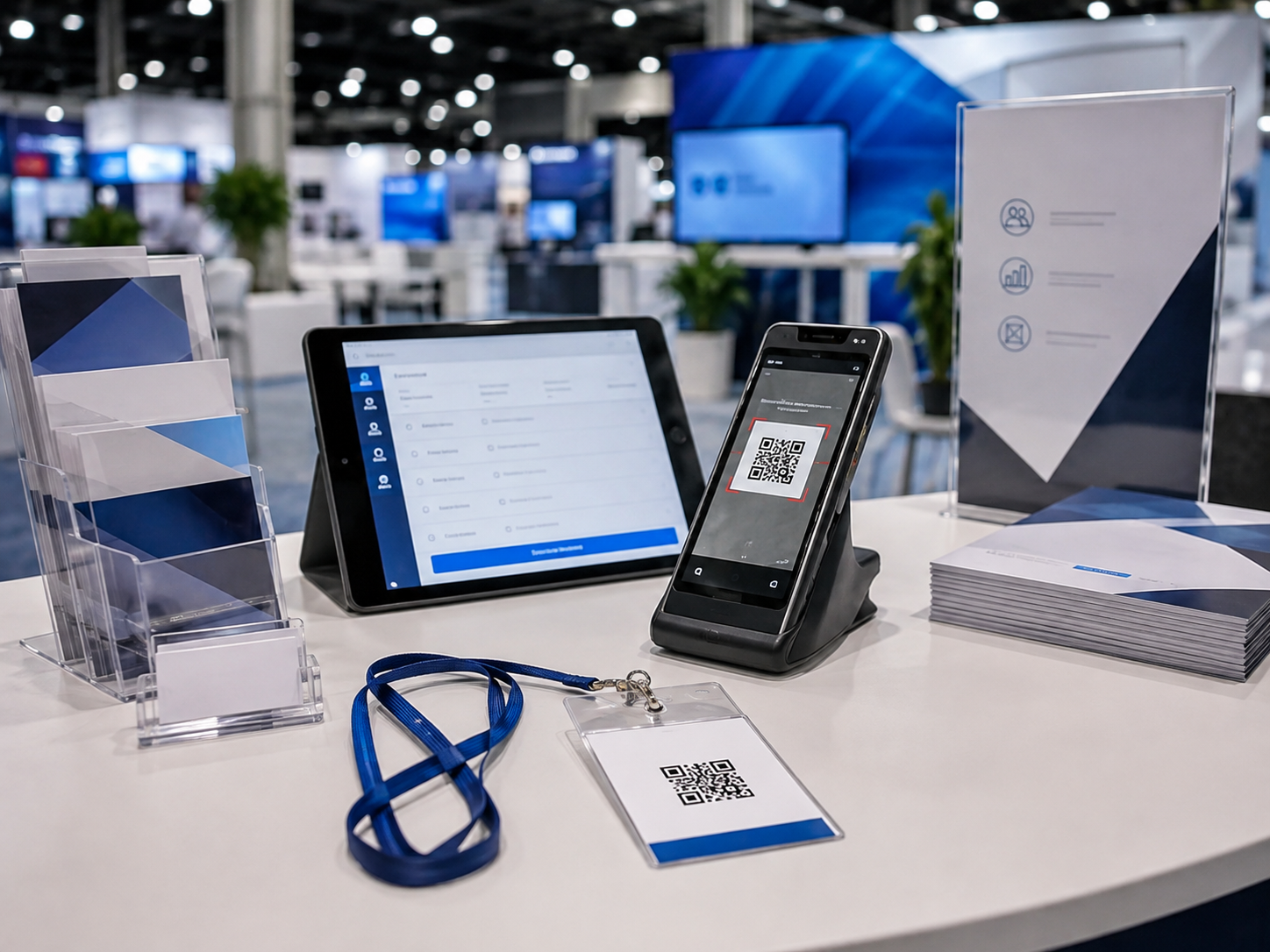
Lead Retrieval for events is the process of turning conversations at an event into structured contact information that exhibitors, sponsors, or sales teams can act on afterward.
Without lead retrieval, a busy booth can end the day with a pile of business cards, handwritten notes, phone photos, and spreadsheet entries that still need to be matched to actual conversations. That creates a gap between meeting someone and following up with them.
With badge-based lead retrieval, the interaction can be much simpler. An exhibitor scans the attendee’s badge, connects that scan to the attendee record, and adds the context that makes the contact useful later. ConferenceBadge supports notes and tags during the event, then automatically emails captured leads in a structured CSV when the event concludes.∂
This is why QR codes for events can become more than links to agendas or websites. When every attendee has an individual code tied to the appropriate event record, the badge can support networking and lead capture as well.
Imagine a 500-person industry conference with 20 sponsors. Previously, each sponsor might have developed its own process for collecting leads. One uses business cards, another creates a form, while a third sends representatives around with a spreadsheet. Giving them a consistent scanning workflow reduces that operational fragmentation while giving the organizer a more coherent sponsor experience.
Lead retrieval can also support attendee networking
Lead retrieval is often associated with exhibitors scanning attendees to capture sales prospects, but that is not the only way the technology can support an event.
ConferenceBadge customers can also use the experience to help attendees capture the people they meet. Instead of every scan representing a potential sales lead, an attendee can use the badge experience to keep a record of a new professional connection and make it easier to reconnect after the event.
The distinction is simple:
Traditional lead retrieval: Exhibitor → attendee → lead capture → qualification → follow-up.
Attendee networking: Attendee → attendee → connection capture → relationship → post-event follow-up.
For organizers, this means QR-enabled badges can support more than sponsor ROI. They can also strengthen the networking experience across the event itself.
What the Lead Retrieval Generator Creates
The Lead Retrieval Generator should be thought of as a lead-capture workflow rather than a standalone QR-code maker.
Lead Retrieval is added to a ConferenceBadge event and configured before attendees arrive. Event organizers can apply their event branding, while exhibitors access the scanning experience through a browser. Attendee badge QR codes are scanned to capture contacts, representatives can add notes and tags, and the resulting lead data is automatically sent to exhibitors as a CSV after the event.
That distinction matters. The objective is not simply to produce another QR image. It is to connect the attendee badge, the scan, qualification information, and eventual follow-up into one flow.
Here’s what Caroline Wallace, Executive Director of the Texas Craft Brewers Guild, said about the tool in a recent article:
“We received some really great feedback from a few of our exhibitors who used it robustly. One mentioned he liked it better than the individually paid system at a much larger show he recently participated in.”
Step-by-Step Walkthrough: How to Use the Lead Retrieval Generator
Follow this walkthrough to set up lead retrieval from start to finish, prepare your badges, and understand what exhibitors should do once the event begins.
Step 1: Open the Lead Retrieval Generator
Start from your ConferenceBadge event workflow and add Lead Retrieval to the event. ConferenceBadge positions Lead Retrieval as an add-on to the badge-ordering process rather than a separate event platform. Once enabled, the organizer configures it through the event dashboard before the event.
This matters operationally because lead retrieval should be planned alongside event badge printing, not added as an afterthought once thousands of credentials have already been produced.
Step 2: Configure Your Event
Set up the event experience that exhibitors and attendees will encounter. ConferenceBadge allows organizers to upload a logo and brand colors, while information such as the event name and date is incorporated into the experience.
Think beyond appearance here. Decide which exhibitors will receive access, who their primary contacts are, how your team will explain scanning, and what qualification process you want exhibitors to follow.
This is also the point to review your attendee data and badge design. If your registration list is maintained in spreadsheets, ConferenceBadge has separate guides for producing name badges from Excel and name badges from Google sheets.
Step 3: Prepare the Lead Retrieval Workflow
Once Lead Retrieval is enabled, exhibitors can use the system to scan attendee badge QR codes directly from a phone browser. They can also manually add a contact when necessary, such as when an attendee does not have their badge available.
The value comes after the scan. Representatives can add notes and tags while the conversation is still fresh. Instead of remembering three days later that “Sam from the afternoon session wanted a demo,” the representative can capture that context immediately.
That makes the resulting lead list significantly more useful than a directory of names.
Step 4: Add Lead Retrieval to the Badge Experience
Your physical badge still needs to support the scanning workflow.
That may mean custom event badges, trade show badges, corporate event name badges, name badge inserts, or dedicated QR code event badges.
Badge design decisions matter here. The attendee’s name still needs to be readable from conversational distance, while the QR code needs enough room to scan reliably. Reviewing event badge sizes before production can prevent a common problem: trying to fit names, companies, sponsor branding, attendee categories, and a functional QR code into a badge that is simply too small.
Even your choice ofFont event name tag styling matters. A badge succeeds socially first and digitally second. People should still be able to identify one another without scanning.
Step 5: Test the QR Codes Before Printing
Never treat a successful scan on a laptop screen as proof that the finished badge will work.
Print the badge at its final dimensions, put it inside the actual holder, attach the lanyard or clip, and scan it with several phones. Test the finished setup in both bright and lower-light conditions.
DENSO WAVE, which developed the QR Code, specifies that QR codes require a clear “quiet zone” four modules wide around the symbol: https://www.qrcode.com/en/howto/code.html
ConferenceBadge similarly recommends testing QR codes on the actual badge material and at the intended size because factors such as glare, lighting, print quality, scanning distance, and holder seams can affect performance.
If you are using inserts holders badges, make sure the holder seam or lanyard clip does not cover the scanning area.
Step 6: Use the Badges at the Event
Once the event begins, exhibitors open their lead retrieval link on a phone and scan attendee badges as conversations happen. There is no separate app that every booth representative needs to install.
The scan should support the conversation rather than interrupt it.
For example, imagine an exhibitor speaking with a director who mentions an active project beginning next quarter. Rather than exchanging business cards and hoping the context survives, the representative scans the badge, adds a short note about the project, tags the lead as high priority, and continues talking.
Good technology disappears into the event experience.
Note: Lead retrieval does not have to be limited to exhibitor booths. If attendee networking is enabled, attendees can also use the badge experience to capture connections they make throughout the event.
For example, an exhibitor might scan an attendee after a product conversation and add context for sales follow-up. An attendee might scan another attendee after meeting during a breakout session, lunch, or networking reception simply so they can remember the connection and reconnect afterward.
In both cases, the badge acts as the bridge between an in-person interaction and a digital record of that relationship.
Step 7: Follow Up After the Event
When the event closes, ConferenceBadge automatically emails exhibitors their captured leads as a structured CSV. The system also provides an event snapshot containing lead and scanning activity.
The CSV is designed for CRM import rather than being presented as a native Salesforce or HubSpot integration. That gives teams the ability to determine how fields should be mapped and what follow-up workflow should happen next.
The difference becomes important commercially. Fifty scans do not necessarily mean 50 qualified opportunities. Notes, tags, and timely follow-up help separate booth traffic from people who actually demonstrated buying intent.
What You Need Before You Start
A little preparation prevents the badge workflow from becoming a last-minute production problem. Before enabling lead retrieval, have the following ready:
Event name, dates, logo, and brand colors
Final attendee information
Badge design and event badge sizes
Exhibitor or sponsor information
A decision about which exhibitors receive lead retrieval access
Badge holder and lanyard setup
Printing and shipping timeline
A physical QR-code testing plan
A post-event CRM and follow-up process
For simpler events, PDF badges or DIY name tags may be appropriate. Events with late registrations may instead need nn site printing. Your lead retrieval plan should fit whichever registration and printing model you choose.
Lead Retrieval Use Cases
Trade Shows and Expos
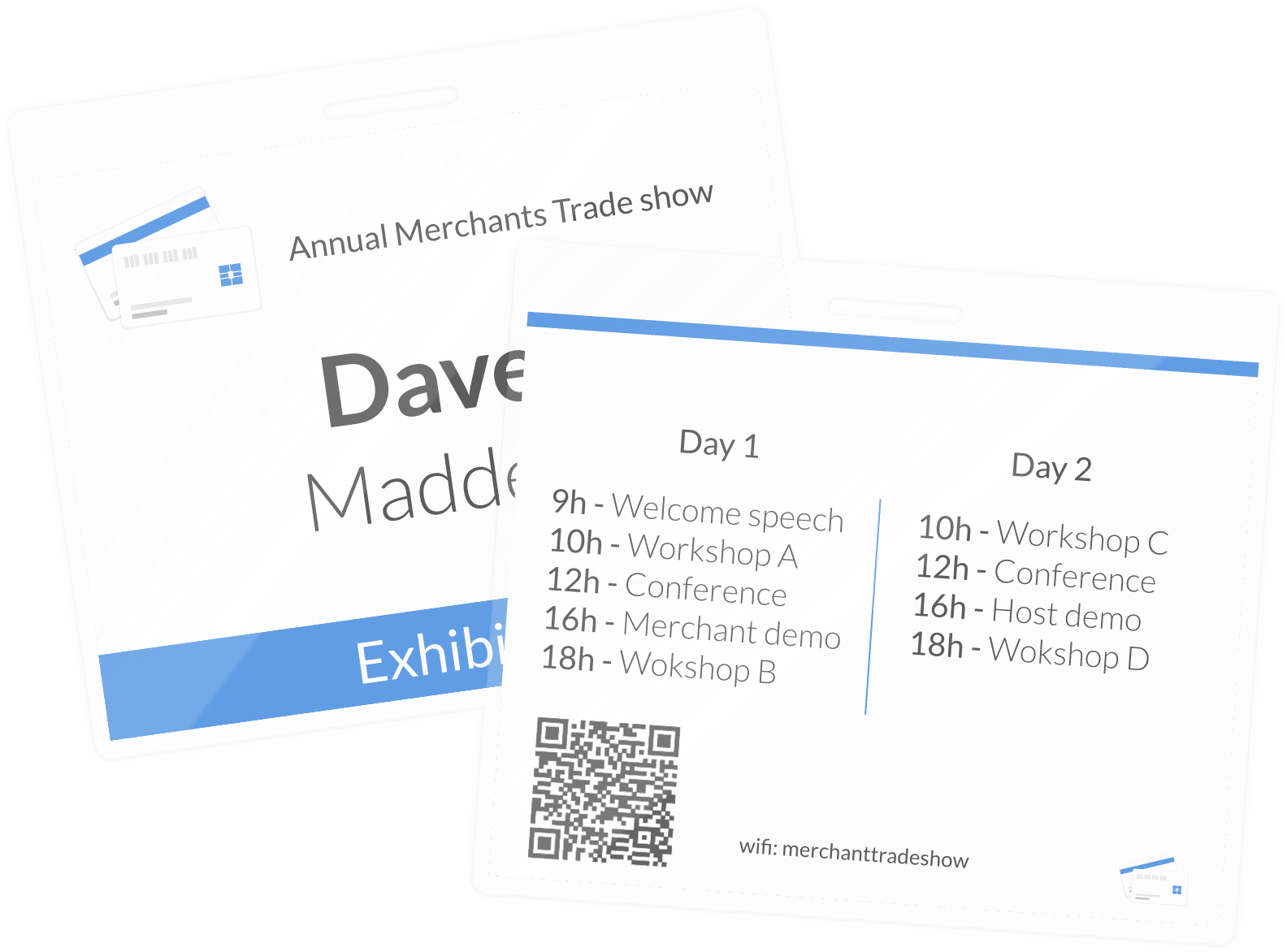
Trade shows are the most obvious fit because exhibitors need a practical way to connect conversations with prospects. Scanning a badge at the booth replaces the familiar pile of business cards with a lead record that can include qualification context.
Conferences

At conferences, lead retrieval can support sponsors and exhibitors while QR-enabled badges can also play roles in networking, check-in, or session workflows. Your conference room layout can influence scanning operations too, particularly when badges are being scanned around entrances, booths, or high-traffic areas. Conferences often combine exhibitors, sponsors, educational sessions, and dedicated networking opportunities. Lead retrieval can help exhibitors capture prospective customers while the same badge infrastructure can help attendees keep track of the people they meet throughout the event.
Corporate Events
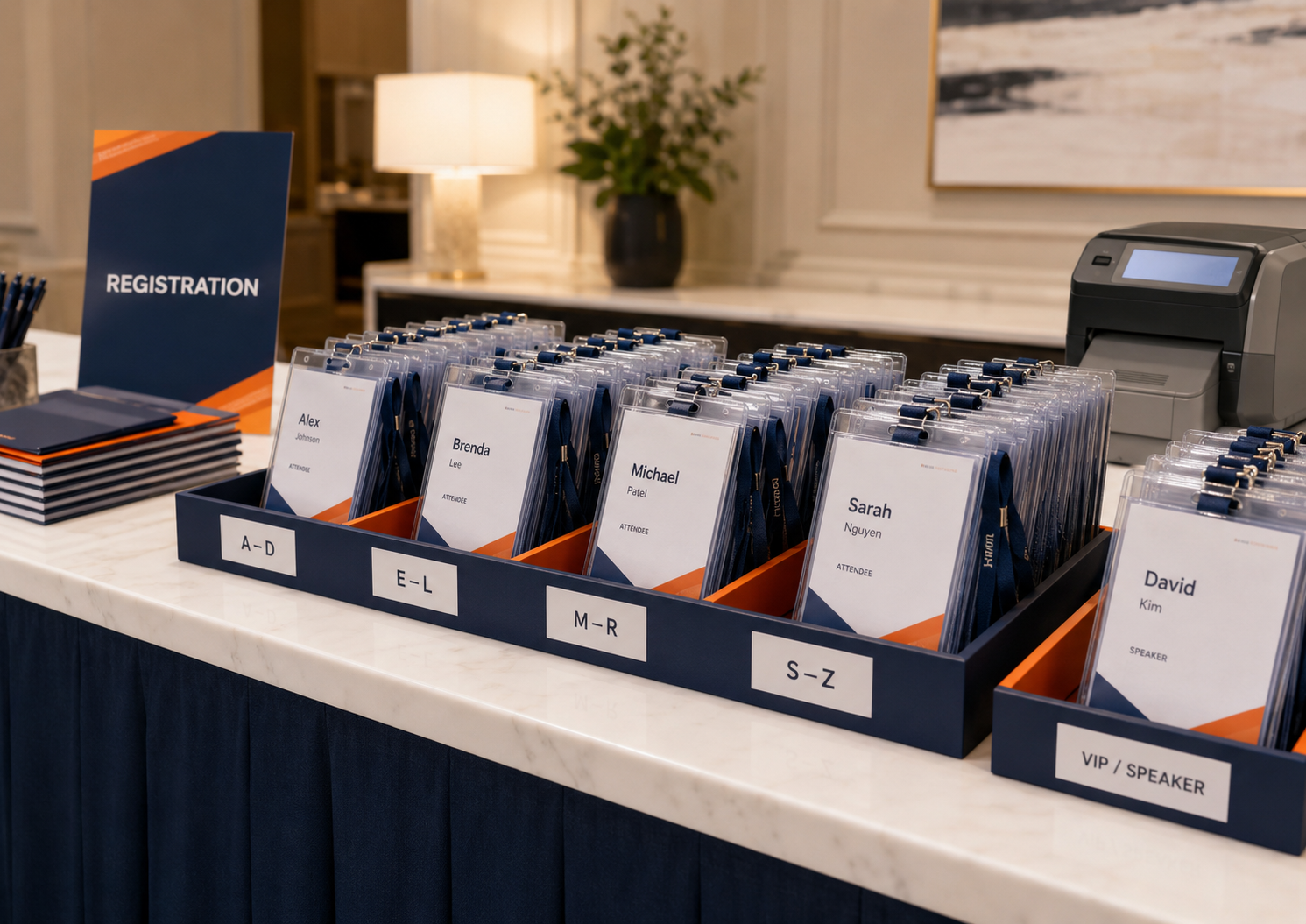
Corporate Event Name Badges can support partner summits, sales meetings, customer conferences, and internal networking. Not every scan needs to represent a traditional sales lead. The same physical-digital connection can make it easier for people to exchange information and continue conversations afterward.
Sponsor Activations

Sponsor value is easier to demonstrate when engagement is measurable. Instead of telling a sponsor that its booth “felt busy,” organizers can offer a structured lead retrieval option that helps the sponsor capture and qualify the people it actually met.
That can also inform better post event survey questions, because organizers can evaluate both perceived sponsor value and actual event engagement.
Attendee Networking and Connection Capture
Not every important interaction at an event is a sales conversation.
For association conferences, professional meetings, university events, and networking-focused gatherings, attendees may derive just as much value from the people they meet as from the sessions they attend.
Giving attendees a way to capture those connections helps prevent the familiar post-event problem of remembering someone's face but forgetting their name, company, or how to contact them.
Instead of relying on business cards, photographs of badges, or trying to find someone on LinkedIn days later, attendees can use the event badge to retain a record of the connection while the interaction is happening.
For organizers, this turns networking from something that simply appears on the agenda into something the event infrastructure actively supports.
Best Practices for QR Code Lead Retrieval Badges
The best QR badge is not necessarily the one with the largest QR code. It is the one that balances scanning reliability with the badge’s other jobs.
Keep strong contrast between the code and its background, preserve the required clear space around it, and avoid positioning it beside trim lines, slots, clips, or holder seams. ConferenceBadge notes that approximately 1 × 1 inch can be a sensible starting point for many conference applications, although the correct size depends on data density, material, lighting, scanning distance, and the devices being used.
Unique attendee QR codes should be used when the scan needs to identify an individual. A shared code can work when everyone simply needs to reach the same schedule, website, survey, or landing page.
Privacy deserves equal attention. The FTC recommends that organizations understand what personal information they collect, who can access it, and whether they actually need to retain it. It specifically advises businesses not to collect sensitive information without a legitimate business need. See more on this by the FTC! For event organizers, that means explaining what happens when an attendee badge is scanned and making deliberate decisions about what information exhibitors receive.
How the Lead Retrieval Generator Fits With ConferenceBadge Products
Lead retrieval works best when it is treated as part of the badge ecosystem rather than a separate technology project.
Teams comparing Conference badge alternatives should therefore consider the complete workflow rather than badge price alone. Ask how attendee data gets into the badge, how QR codes are produced and tested, how replacements are handled, and what exhibitors receive after scanning.
The same applies when choosing badge Printing Software or evaluating badge integrations. The important question is whether registration data, printing, QR codes, and lead retrieval work together without creating unnecessary manual steps.
ConferenceBadge also provides examples of different event use cases for planners deciding what type of credential fits their event.
The broader opportunity is to think of the badge as more than identification. QR-enabled event badges can connect the physical event experience with what happens afterward. For exhibitors, that can mean capturing and qualifying prospects. For attendees, it can mean retaining the professional connections they made during the event.
An organizer can therefore use ConferenceBadge to support traditional lead retrieval, attendee networking, or a combination of both depending on the event.
Start collecting those Leads with Conferencebadge
The best lead retrieval experience does not ask attendees or exhibitors to think about the technology behind it. An attendee has a conversation. An exhibitor scans the badge. The important context is recorded while it is still fresh. When the event ends, the lead information is ready for follow-up.
That is the advantage of connecting lead capture directly to the badge workflow.
Ready to turn attendee badges into a lead retrieval tool? Use ConferenceBadge to configure your event, enable browser-based scanning, and connect your badges to a simpler exhibitor follow-up process.
Try the Lead Retrieval Generator
Common Mistakes to Avoid
Most lead retrieval problems begin before the first attendee arrives. Organizers leave QR-code planning until the final print run, discover that codes are too small inside the selected holder, or fail to test the workflow on the phones exhibitors will actually use.
Another common mistake is focusing entirely on scanning while ignoring follow-up. A database containing hundreds of names has limited value when representatives cannot remember why each conversation mattered.
Plan for reprints, damaged badges, manual contact capture, inconsistent connectivity, and staff questions. More importantly, tell exhibitors how the workflow works before the exhibit hall opens. A technically perfect system still fails when nobody knows when to scan, what notes to enter, or what happens to the data afterward.
FAQs
What is a lead retrieval generator?
A lead retrieval generator creates or enables a scannable event workflow that lets exhibitors, sponsors, or event teams capture and qualify attendee information. ConferenceBadge uses QR-enabled attendee badges, browser-based scanning, notes and tags, and post-event CSV delivery.
Can I add lead retrieval QR codes to event badges?
Yes. QR codes can be incorporated into event credentials and used for lead retrieval, check-in, networking, session access, and other workflows when they are connected to the appropriate event data.
Can exhibitors scan attendee badges?
Yes. With ConferenceBadge Lead Retrieval enabled, exhibitors can scan attendee badge QR codes using a phone browser without downloading a separate app.
Should every attendee have a unique QR code?
Use a unique code when a scan needs to identify a specific attendee. ConferenceBadge notes that repeating a generic event QR code can send people to the same destination, but it cannot identify individual attendees for lead retrieval.
How do I make sure QR codes scan correctly?
Test the finished badge, not just the digital file. Scan it at its final printed size, inside the actual holder, using multiple phones and realistic venue lighting. Keep clear space around the QR code and make sure clips, seams, graphics, or trim lines do not interfere with it.
Can ConferenceBadge print badges with lead retrieval QR codes?
Yes. ConferenceBadge supports event badge printing with QR codes, including credentials designed for lead retrieval workflows.
