
Why You Need QR Codes at Your Next Event
Quick summary: QR Code Event Badges turn a physical event credential into a connection point between the attendee and the digital parts of an event. A QR code can help with check-in, l, agendas, session access, networking, feedback, sponsor content, maps, and attendee verification. The important decision is not simply whether to put a QR code on a badge. It is deciding what should happen when somebody scans it, whether every attendee needs the same or a unique code, and how the badge will be designed and tested so scanning still works once hundreds or thousands of credentials are in use.
ConferenceBadge can incorporate QR codes into custom printed badges, name badge inserts, trade show badges, corporate event badges, and other event credentials while connecting the code to attendee data and the broader badge production workflow.
Turn Event Badges Into Scannable Event Tools

For years, the primary job of an event badge was identification.
It told someone your name, company, title, and perhaps whether you were a speaker, attendee, sponsor, or exhibitor. Those jobs still matter. In fact, they should usually remain the most visually important parts of the badge.
A QR code simply gives that physical credential another job.
Scan the badge and an attendee might open the conference agenda. An exhibitor might capture a qualified sales lead. Registration staff might confirm an attendee record. A workshop host might verify session access. A participant at a corporate retreat might open the breakout schedule assigned to their group.
Recent event technology guidance from Cvent similarly describes QR codes being used for check-in, session access, lead capture, and attendee workflows rather than simply as links to generic websites.
That distinction matters.
The value does not come from the square printed on the badge. It comes from what happens after the scan.
A shared QR code that opens a schedule has very different data requirements from a unique code that identifies an individual attendee. A code used for Lead Retrieval for events is different again because the scan needs to connect a real-world interaction to a specific record.
The badge, QR destination, attendee data, and scanning workflow therefore need to be planned together.
Our CEO, Amanda Collett will be provided verbatims from her multi-decade experience with conferences. Here’s her initial thoughts on QR codes on badges:
Your first question with QR codes should always be, “what does it accomplish and why do we need it”. If it’s used for just scheduling or to see an itinerary; it’s easy. If it’s important for recording a lead, verifying access or triggering an important event (like access to a region or even a digital wallet); then some quality control / care needs to be incorporated into it. The best way to handle that is work backwards with the workflow and start with FAQs of “failure”. An example of this is: “What if I can’t get access to X?” or “What if Y server is down for the URL that QR code destination is for?”.
What Are QR Codes for Events?
QR codes for events are scannable codes that connect attendees, staff, exhibitors, sponsors, or other event participants to digital information or event workflows.
The code itself can contain information or point the scanner toward a digital destination.
At a conference, that might mean:
An attendee registration record
A digital agenda
A session schedule
A networking profile
An event application
A feedback form
A sponsor page
A ticket or registration identifier
A map or floor plan
A lead retrieval workflow
The simplest version is one QR code printed on every badge.
Imagine a 400-person leadership conference with a mobile agenda that changes throughout the day. Instead of printing every session detail on the credential, the organizer prints the same QR code on all 400 badges. Attendees scan it whenever they need the current agenda.
No attendee-specific data needs to pass through that QR code.
Now imagine a 10,000-person trade show.
Each exhibitor wants to scan visitors and know who stopped at the booth. Printing the same QR code on every credential would not work because every scan would identify the same destination rather than the individual attendee.
Each attendee needs a unique identifier connected to the appropriate record.
Both examples use QR codes.
Only the second requires a personalized data workflow.
Practical use cases for event organizers.
The practical uses for QR codes are almost too many to mention. Event and conference organizers continue to innovate and create QR codes for an ever-growing list of tasks.
Rachel Waller is an IAPC-accredited conference and association assistant at Podium Conference and Association Specialists.
She’s seen firsthand the impact of QR codes at events she’s organized. Rachel talked us through some of the practical uses she’s found for QR codes.
“Most of our events use between 3-5 different QR Codes,” Rachel explained. “I’ve seen them used to sign up for newsletters and access the conference program.

“The main reason we use QR codes at our events is for post-conference ‘Certificates of Attendance’.
This speeds up the process as attendees can request the certificate via the QR code instead of emailing us. It also saves time on our end as admin’s as it lowers the amount of emails we receive post-conference.”
The event management team has also used the information from those certificate requests to streamline their post-event processes and reporting.
The QR code system is able to save key details and gives the team easier access to that information in the way of an event.
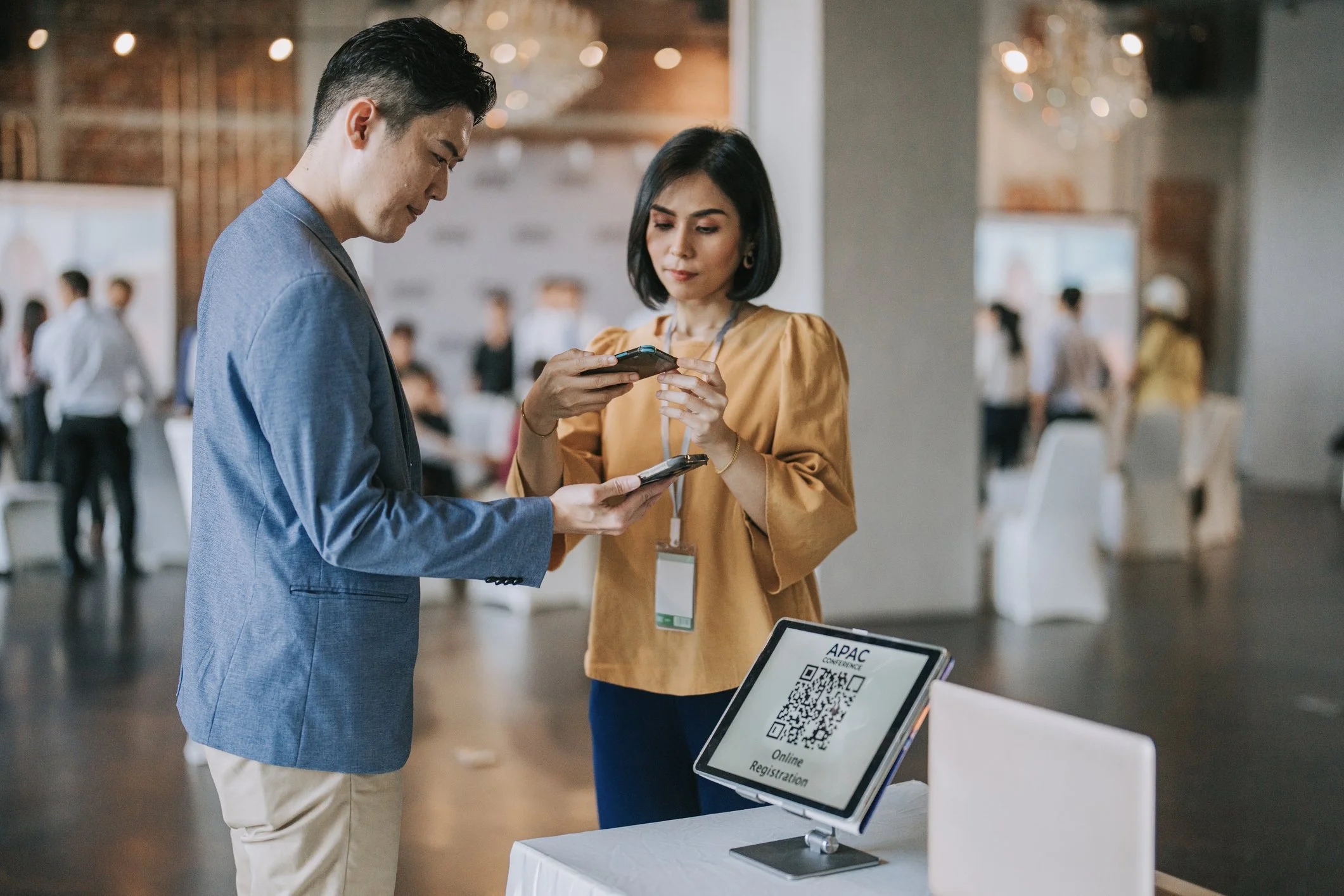
Using QR codes to direct attendees to forms helps collate all the information in one place so you don’t have to input data from manual forms or email submissions afterwards.
Teams also use QR codes to send out event details. Large dynamic QR codes placed strategically on boards give your team an easy way to adjust and edit the agenda for each day of your event.
One dynamic QR code can be edited overnight so that event attendees who scan it on day two get the updated event information.
Dynamic codes also save money on future events because you can use the same marketing materials like billboards, flyers, or sandwich boards and just update the link the code leads to.
These updated codes will then lead users to your event landing page with all of your key details like contact information, site map, and more.
QR codes help you track the performance of marketing campaigns in print and other mediums where you don’t have access to page views or click-throughs.
You can measure the impact of your flyers, posters, or print ads by using a unique QR code for each medium. A call to action (CTA) that encourages the viewer to scan the code helps drive viewership and improve the results.
One novel way to use QR codes is to help personalize event experiences. For example, you might create a custom QR code with data about your attendees dietary preferences, which will allow them to be served the correct meal during lunch or dinner events.
You can also use personalized QR codes for event attendees to give them access to different programs or activities.
Unique QR codes on event tickets can help you control the use of tickets by tracking which tickets have already been scanned. They can also hold personal information to help improve the customer experience. QR codes work both on digital, mobile-based tickets and on paper tickets.
Add QR Codes to Different Event Badge Formats
The right badge format depends on what attendees need to carry, how long they will wear it, how the event is organized, and what the credential needs to accomplish.
That decision should happen before QR placement is finalized.
A one-day meeting may need little more than a name, company, and shared agenda code. A four-day convention may need attendee categories, personalized codes, sponsors, access information, schedules, and enough physical durability to survive thousands of interactions.
Custom Printed Event Badges With QR Codes

Custom event badges give planners room to treat the QR code as part of the complete credential rather than something added after the layout has already been designed.
A printed badge might contain:
Attendee name
Organization
Job title
Event branding
Attendee category
Sponsor branding
QR code
Registration information
The important design decision is hierarchy.
An attendee standing six feet away should not need a smartphone to determine who someone is. Names and other important human-readable information still need enough visual space.
The QR code supports the interaction. It should not dominate it.
That is also why event badge sizes matter. A larger badge gives the organizer more room to separate identity, branding, attendee type, and scanning elements without making any one component difficult to use.
The same thinking applies when selecting the font event name tag design. Long attendee names, company names, and titles need to remain readable even after space has been allocated to a QR code.
Name Badge Inserts With QR Codes

For multi-day conferences, association meetings, academic events, and other holder-based formats, name badge inserts can include QR codes alongside personalized attendee information.
ConferenceBadge's printed inserts can be customized front and back, printed, cut, placed into holders, and delivered ready for the event. Its current product information specifically lists QR codes as an available element on the insert.
This can be especially useful when organizers need a credential that remains flexible.
Suppose a conference runs for three days and an attendee moves from a general participant role on day one to a workshop facilitator role on day two. A holder-based setup makes it possible to replace the insert without replacing every physical component.
The QR code can remain tied to the attendee record while the visible credential changes.
Inserts holders badges also create an important testing requirement: scan the finished insert while it is actually inside the holder.
A QR code that works perfectly as a PDF on a laptop screen may behave differently behind reflective plastic under venue lighting.
Cardboard Badges With QR Codes

Cardboard Badges provide another option when organizers want a printed credential without a plastic holder.
ConferenceBadge currently prints these badges double-sided on coated card stock, pre-punches them for lanyards, and supports custom content including QR codes.
For QR-heavy events, removing the holder also removes one potential source of glare.
That does not eliminate the need for testing. Print quality, code size, contrast, layout, lighting, and the scanning device still matter.
But the physical construction of the badge is simpler.
Trade Show Badges With QR Codes

Trade show badges are one of the clearest cases for attendee-specific QR codes because the credential often supports interaction between attendees and exhibitors.
Picture a visitor moving through a busy expo hall.
They stop at a software vendor's booth and have a five-minute conversation about a new product. Instead of exchanging business cards or asking the attendee to manually enter information into a tablet, the exhibitor scans the badge.
With the right lead retrieval system behind it, that scan can identify the attendee and give the exhibitor a starting point for follow-up.
This is where QR design and event technology need to meet.
A code that simply sends every scanner to the conference homepage is technically functional. It just does not accomplish lead retrieval.
Corporate Event Name Badges With QR Codes

Corporate Event Name Badges often solve a different set of problems.
At a sales kickoff, leadership summit, internal training program, or company retreat, there may be less need for commercial lead retrieval and more need to help employees navigate the event.
A QR code might open:
The day's agenda
Training materials
A breakout assignment
A venue map
A networking directory
A feedback form
Internal resources
This can be particularly useful when information may change.
Printing the event’s full agenda on a badge gives attendees immediate access without using a phone, but a printed agenda cannot change when a speaker swaps timeslots.
A QR code can.
The tradeoff is that attendees now depend on their device, the destination's mobile experience, and potentially venue connectivity.
For some corporate events, the best answer is both: essential information on the physical credential and changing information behind the QR code.
Exhibitor, Sponsor, VIP, and Staff Badges With QR Codes

Not every credential at an event should necessarily behave the same way.
Staff may need access to operational tools.
Sponsors may need links to dedicated content.
Exhibitors may use a QR code as part of booth or lead workflows.
VIP attendees may require a credential that works with access verification.
Different badge designs can visually distinguish these roles while the underlying codes connect them to different destinations or records.
This is one reason attendee categories should be decided early. What looks like a design choice can quickly become a data architecture decision when thousands of personalized credentials are involved.
Badge Holders and Lanyards Matter More Than They Seem
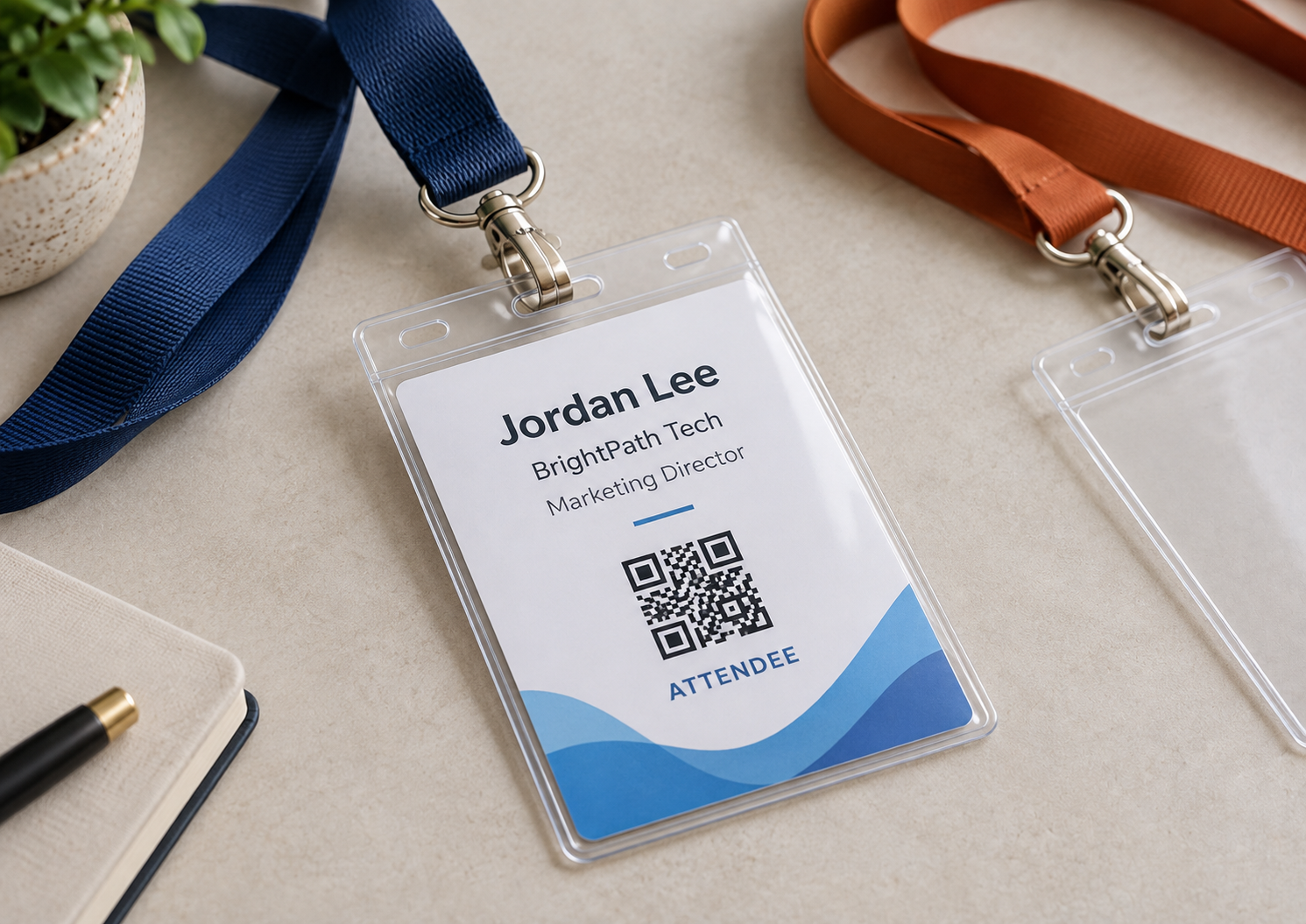
The badge does not exist in isolation once the attendee wears it.
It sits in a holder, hangs from a lanyard, moves as the attendee walks, turns around during conversations, gets covered by jackets, and is scanned under lighting conditions the design team may never have seen on their office printer.
That matters for QR codes.
A clear plastic holder can create reflections.
A clip can overlap the top of the code.
A long badge may flip around.
A very small credential may force the QR code too close to other design elements.
The correct Conference room layout can also influence how credentials are used. A seated workshop, crowded expo hall, registration area, and networking reception create very different scanning environments.
QR badge testing should therefore reproduce the real object as closely as possible.
Print it.
Put it in the holder.
Attach the lanyard.
Wear it.
Then scan it
How QR Codes Can Be Used Throughout an Event
The most useful QR code often depends on where the attendee is in the event journey.
A code that is valuable during registration may become irrelevant two hours later. Another may become more useful once attendees begin moving between sessions or meeting exhibitors.
Thinking about that journey prevents planners from adding QR codes simply because they can.
Event Check-In
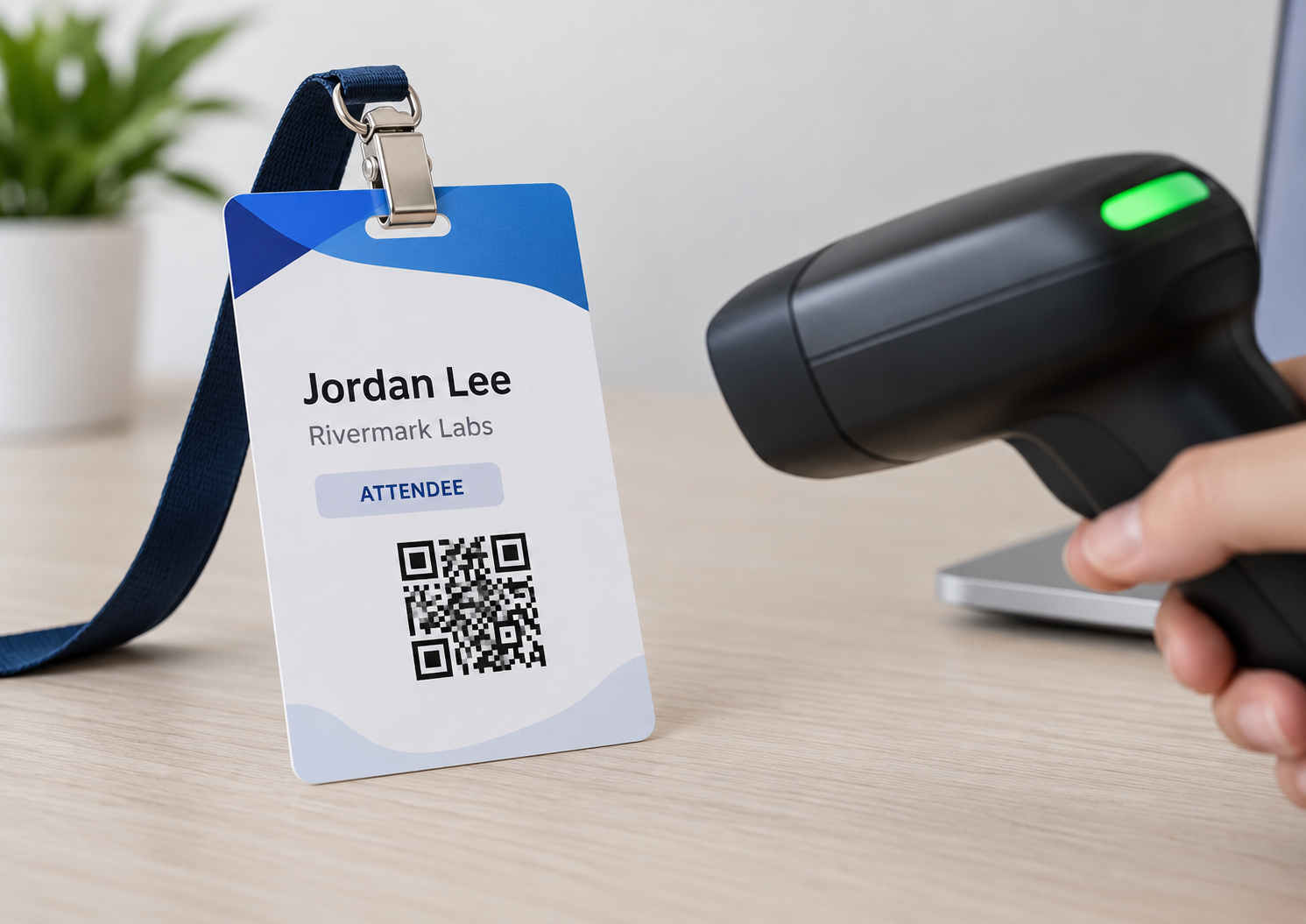
At check-in, unique codes can help connect an attendee to a registration record.
Instead of asking registration staff to search manually through a long attendee list, the attendee or staff member can present a code tied to that record.
Cvent's current check-in guidance describes QR scanning as a way to connect people to registration information and reduce manual lookups during arrival.
A well-designed workflow can make the opening minutes of an event feel much simpler.
A poorly designed one merely moves the bottleneck.
If scanners cannot read the codes, attendee records are outdated, Wi-Fi is unreliable, or staff do not understand the fallback process, the QR code does not remove operational complexity.
It concentrates it at the registration desk.
These are Amanda’s thoughts on QR code check-in:
The crash of the first major check-in rush is always the test of whether your weeks of planning were worth it. At Collision in 2023, I saw hundreds if not thousands of people hit the registration desks, each of them having different reasons and a unique vector case. Some forgot to register, others spelled their name wrong when registering, some had no confirmations, others tried to pick up their badges for their team.. The goal is to have throughput in registration; and to have high throughput, you need 2 or 3 backup processes.
Lead Retrieval

QR codes can turn an attendee credential into part of the exhibitor sales workflow.
Instead of exchanging a business card and manually entering the information later, an exhibitor can scan a unique attendee code and capture the interaction while it is happening.
The useful part is what happens next.
A simple contact record has limited value if nobody remembers the conversation.
Better Lead Retrieval for events workflows can allow exhibitors to add context, notes, tags, or qualification information to the interaction.
ConferenceBadge's own lead retrieval workflow uses QR-enabled badges, browser-based scanning, and post-event CSV output.
A badge scan then becomes the beginning of a sales record rather than the end of an event conversation.
Digital Agendas

A shared QR code is often enough for an event schedule.
This is one of the lowest-complexity applications because every attendee can point to the same destination.
The benefit is flexibility.
If a session moves from Ballroom A to Ballroom C, the organizer can update the digital agenda rather than the physical badge.
The risk is creating unnecessary friction.
If the attendee must log in, download an application, accept several permissions, and navigate through five screens just to find today's schedule, the QR code has technically worked while the attendee experience has failed.
The destination should be designed for the moment in which someone scans it.
Session Access

Unique or role-based codes can also support entry into workshops, breakout sessions, VIP areas, or ticketed experiences.
The code should not be treated as the entire security model, however.
The event platform needs to determine what the scanned identifier means, whether the person is authorized, and what happens when access should be denied.
The physical QR code carries or points to information.
The access system makes the decision.
Attendee Networking

Not every QR interaction needs to be operational.
Some badges link to digital business cards, LinkedIn profiles, attendee directories, contact forms, or networking profiles.
This can work well when the event's goal is relationship building.
But the physical badge still needs to perform the first step.
Someone should be able to see a name and enough contextual information to decide whether they want to start the conversation.
The QR code can make exchanging information easier after that conversation begins.
Feedback Forms

Instead of sending all feedback requests several days after an event, organizers can put survey access closer to the experience being measured.
A QR code might take attendees to a session evaluation immediately after a workshop or to a general event survey near the end of the day.
The question is timing.
A link to twenty post event survey questions may be appropriate after the event.
It is probably too much immediately after a 45-minute breakout.
The badge makes the form accessible. The survey still needs to respect the attendee's context.
Sponsor and Exhibitor Pages
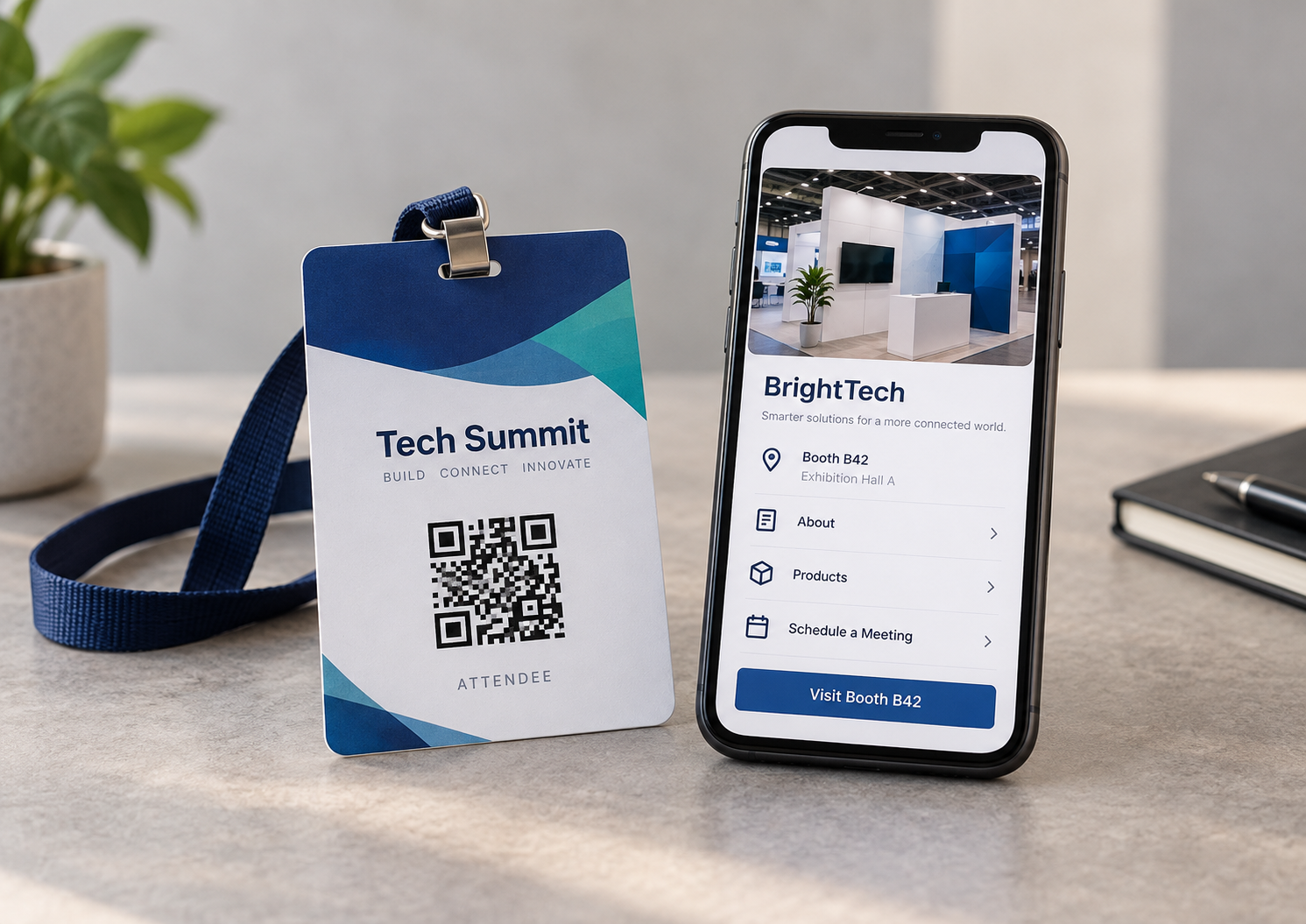
Sponsors and exhibitors can use codes to connect attendees to product demonstrations, offers, landing pages, white papers, booth information, or other digital resources.
The same restraint applies here.
A useful code answers a reason someone already has for scanning.
A generic homepage rarely does.
Maps and Venue Information

Large convention centers can be disorienting even for experienced attendees.
A QR code can open a mobile floor plan, exhibitor map, parking information, transportation instructions, accessibility guidance, or another venue resource.
This can be more useful than trying to squeeze complex navigation information onto the badge itself.
Event App Downloads

A shared code can also open an event app or a mobile web experience.
This works particularly well when the code appears at multiple points throughout the event, including registration signs and printed materials, rather than depending solely on the badge.
Unique QR Codes vs. One Shared Event QR Code
This is one of the most important decisions in a QR badge project.
| QR code type | Best for | Example | Main consideration |
|---|---|---|---|
| Shared QR code | General event information | Agenda, map, event app, survey | Simple because every badge can use the same code |
| Unique attendee QR code | Individual identification | Check-in, lead retrieval, registration record | Code must remain matched to the correct attendee |
| Role-based QR code | Different attendee categories | Staff tools, exhibitor page, VIP resource | Badge type and destination need to stay aligned |
| Dynamic QR code | Content likely to change | Schedule, sponsor content, updated resources | Destination needs to remain under organizer control |
A shared code has very little data complexity.
The organizer creates the destination, generates the code, places it in the badge template, and tests it.
Unique codes change the process.
Now the event may need something like:
| Name | Company | Attendee Type | Registration ID | QR Value |
|---|---|---|---|---|
| Nina Shah | Brightwell | Speaker | EVT-001425 | Unique value |
| Marcus Brown | Delta Systems | Exhibitor | EVT-001426 | Unique value |
| Olivia Chen | Northstar | Attendee | EVT-001427 | Unique value |
The relationship between those columns matters.
If Marcus accidentally receives Olivia's QR code, the badge may still scan perfectly.
It is simply connected to the wrong person.
That is why testing unique codes is not only a graphic design exercise.
It is also a data integrity exercise.
Here’s what Amanda thinks about unique QR codes:
While personalized QR codes can actually be a delight (think about the ability to mingle, have contacts, follow up outside an event) it can be a real pain. If anything happens to that badge, if the QR code is somehow wrong, it can be frustrating for the planning staff, the attendee and anyone else involved. That’s why I always suggest a backup plan. Business cards or even handing out a complementary notepad with a pen can go a long way.
QR Code Badge Design Best Practices
A QR code needs enough visual structure for a camera or scanner to recognize it.
That sounds obvious until badge design starts competing for limited space.
The attendee's name gets larger.
A sponsor logo is added.
The company wants another line of copy.
A colored background extends behind the code.
The badge shrinks.
Eventually, a QR code that looked fine in the original design is being asked to operate under much more difficult conditions.
Leave Clear Space Around the Code
QR codes need a clear margin around their edges.
DENSO WAVE, the company behind QR Code technology, specifies a four-module-wide quiet zone around all sides of a standard QR code.
Designers should avoid allowing text, borders, sponsor graphics, trim lines, or decorative elements to crowd this area.
The quiet space is part of the functional design.
It is not unused space.
Use Strong Contrast
A conventional dark QR code on a light background gives the scanning device a clear visual distinction.
Brand colors may still work, but unusual combinations increase the importance of testing.
The fact that a color palette looks good to a designer does not mean every phone camera will interpret it equally well in dim expo lighting.
Do Not Distort the Code
QR codes should not be stretched to fill a rectangular space.
Resize proportionally.
Otherwise, the modules that make up the code become distorted and scanability can suffer.
Test the Final Printed Size
Do not stop testing when the code scans from the design file.
A computer monitor is not the product attendees will wear.
Print the badge at its actual dimensions.
This is especially important when experimenting with smaller event badge sizes, dense QR data, unusual badge stock, or complex layouts.
Test the Badge Inside the Holder
If the badge uses a plastic sleeve, test it through that sleeve.
Move it under different lighting.
Tilt it.
Try several devices.
The goal is not to prove that the QR code can scan under ideal conditions.
It is to discover the conditions under which it becomes unreliable before attendees discover them for you.
Keep the Name Readable
A QR code should not force the most human part of the credential into tiny type.
People still need to look at each other's badges.
That means long names and organizations should be included in proofing.
A design tested only with “Amy Lee, Acme” may fail completely when the real attendee is “Christopher Montgomery, International Association of Infrastructure Engineering Professionals.”
This is also where reviewing name badge outs, layouts, field lengths, and attendee categories before production becomes usefu
QR Codes, Privacy, and Attendee Trust
A QR code is visually opaque.
An attendee can see the code, but they cannot necessarily know what information it represents until it is scanned.
That makes trust important.
If the badge only contains a URL to the public agenda, the privacy implications are relatively small.
If the code identifies a specific attendee or connects to registration information, event organizers should understand what the scanning system exposes, who can access the data, and what happens after a scan.
The Federal Trade Commission also advises consumers to inspect destinations before opening QR links because QR codes can conceal malicious URLs.
For event organizers, that creates a simple trust principle: make the purpose of the code understandable.
“Scan for today's agenda” is clearer than an unexplained code floating at the bottom of a badge.
The event team should also avoid printing unnecessary personal information on the credential or embedding sensitive information directly into a code simply because the system makes it possible.
How ConferenceBadge Creates QR Code Event Badges
The production process becomes easier when the physical badge and digital workflow are treated as one project.
Step 1: Choose the Badge Format
Start with how the badge will actually be used.
A planner might choose professionally printed cardboard credentials, holder-based inserts, or PDF badges that can be downloaded and printed internally.
ConferenceBadge's current PDF product supports custom dimensions, attendee imports, custom front-and-back designs, and print-ready output.
The format influences the amount of design space available, whether a holder needs to be considered, and how last-minute changes will be handled.
Step 2: Decide What the QR Code Should Do
Before choosing its size or location, define its job.
Possible destinations include:
Check-in
Ticket verification
Attendee profile
Agenda
Feedback form
Lead retrieval
Sponsor page
Event app
Venue map
Digital business card
This one decision determines much of what follows.
Step 3: Prepare the Attendee Data
A shared event URL can be straightforward.
Unique codes require more careful preparation.
Teams already maintaining registration information in spreadsheets can often begin with structured attendee data. ConferenceBadge also provides workflows for Name badges from Excel and Name badges from Google sheets.
A clean dataset gives each variable a clear field.
For example:
First name.
Last name.
Company.
Title.
Attendee category.
Registration identifier.
QR value.
The larger the event becomes, the less practical it is to recreate those values manually on individual credentials.
Step 4: Build and Review the Badge
The proof should be reviewed as an attendee credential, not simply as artwork.
Check:
Name readability
Long titles
Company names
Attendee categories
QR placement
Quiet space
Badge orientation
Holder fit
Front and back content
Sponsor marks
If the code is unique, verify the relationship between the attendee and the QR value as well.
Step 5: Test the Scan
Print a representative sample.
Do not only test the easiest badge.
Use long names.
Use different attendee types.
Test the actual holder.
Use multiple phones.
Try realistic lighting.
Confirm the digital destination is mobile-friendly.
For unique codes, verify that different badges actually resolve to the correct records.
Step 6: Plan for Event-Day Changes
No attendee list remains perfectly static.
Someone registers the morning of the event.
A speaker's title changes.
A badge is lost.
A sponsor sends a replacement representative.
A name was entered incorrectly during registration.
That is why On site printing can complement pre-printed credentials.
ConferenceBadge's current on-site workflow lets organizers use a browser-based Print Center with a desktop or laptop and compatible printer to generate badges at the venue.
The objective is not necessarily to print every badge onsite.
For a large event, a hybrid approach can make more sense: pre-print the stable attendee population and retain onsite capability for exceptions.
Amanda Collett’s feedback mirrors this advice:
“The registration list always looks more final in the spreadsheet than it will be at the event. Someone changes companies, a speaker needs a corrected title, a guest arrives who was registered that morning, or a badge disappears after lunch. For larger events, we like the combination of pre-printing the predictable volume and keeping an onsite option for the exceptions. You get the efficiency of bulk production without forcing the registration team to improvise when reality changes.”
Event Badge Printing Should Follow the Attendee Journey
Event badge printing is often approached as a production task.
Import list.
Create template.
Print badges.
Pack boxes.
But the more useful question is what happens after those boxes arrive at the venue.
How will credentials be organized?
How will staff find them?
Are attendees separated alphabetically, by company, by membership group, or by registration type?
Do exhibitors collect credentials separately?
Can staff quickly recognize speakers and VIPs?
Where will replacements be produced?
How do QR codes interact with those workflows?
A perfectly printed badge can still contribute to a poor check-in experience if the production method does not reflect how attendees arrive.
The badge project should therefore begin with event operations and work backward toward the printer.
PDF Badges and DIY QR Badge Workflows
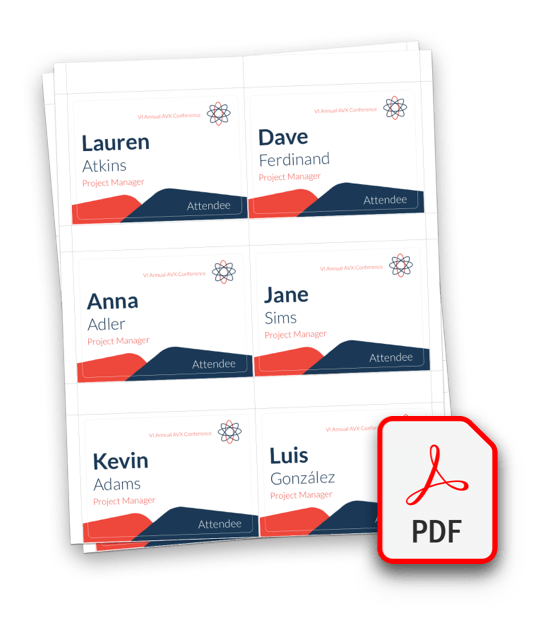
Not every event needs professionally shipped credentials.
A 40-person workshop might be completely comfortable creating DIY name tags internally.
A distributed organization may prefer downloadable PDF files because different offices need to print credentials locally.
International events may have similar reasons for keeping production close to the venue.
ConferenceBadge's PDF badges allow the organizer to create a populated, print-ready file and print it using their own equipment or local provider.
This creates control, but it also transfers production responsibility back to the event team.
Printer scaling.
Paper stock.
Color.
Cutting.
Assembly.
Alignment.
QR testing.
Each now becomes the organizer's responsibility.
That tradeoff should be deliberate.
Badge Printing Software vs. Manual Templates
A spreadsheet and Word mail merge can handle straightforward events.
The difficulty appears as variation increases.
One attendee category becomes four.
One template becomes six.
QR values need to be personalized.
Sponsors need different artwork.
Badges require front and back printing.
Late changes need to flow through without recreating the credential.
At that point, badge printing software becomes less about making the graphic design easier and more about controlling the relationship between attendee information and badge output.
The design is only one part of the system.
Badge Integrations and Attendee Data
Modern events rarely operate from one isolated spreadsheet.
Registration may begin in another event platform.
Attendee data may need to flow into a badge system.
Scans may feed another workflow.
Lead information may eventually move into a CRM.
The more systems that touch the attendee record, the more important stable identifiers become.
When evaluating Badge integrations, planners should think beyond whether two platforms can technically connect.
They should ask what fields move, when they update, which system is the source of truth, and what happens when an attendee record changes after badges have already been generated.
What About Conference Badge Alternatives?
There are many Conference badge alternatives depending on the problem being solved.
A small office meeting may be fine with adhesive labels.
A community event may use handwritten credentials.
A large convention may rely on a registration platform with proprietary printers.
A distributed event may use downloadable PDFs.
An organizer might also assemble badges manually using Avery stock, spreadsheets, and office printers.
The relevant comparison is not simply price per badge.
It is the complete operating model.
Who manages attendee data?
Who prints?
Who assembles?
How are late changes handled?
Can personalized QR codes be matched to individual attendees?
What happens at the registration desk if something fails?
The cheapest production method can become expensive if it creates several days of manual work immediately before the event.
Why Choose ConferenceBadge for QR Code Event Badges?
ConferenceBadge is built around the event credential workflow rather than QR codes as a standalone product.
Its current platform supports attendee imports, custom badge layouts, multiple badge types, QR codes and barcodes, double-sided designs, print-ready PDFs, and professionally printed options.
That becomes useful as event complexity grows.
An organizer does not simply need a QR generator.
They need the code placed into the correct badge template, connected to the correct attendee data when personalization is required, tested at the physical size that will actually be worn, and produced in a format that makes sense for event operations.
For some events, that will mean pre-printed badges.
For others, name badge inserts provide more flexibility.
Others may rely primarily on PDFs and retain event-day printing for last-minute attendees.
There is no need to add technology simply for its own sake.
The objective is a credential that performs the jobs the event actually requires.
Amanda’s final feedback:
“As an event becomes more complex, the QR code is rarely the complicated part. The complexity comes from everything around it: attendee categories, changing registration data, different badge formats, unique identifiers, last-minute registrations, printing, holders, and what the scanning system needs to do with the information. An event-specific badge workflow helps keep those pieces connected so the organizer is not trying to reconcile several separate processes during event week.
QR Code Event Badge Checklist
Before sending badges into production, confirm the following:
Decide exactly what happens after the QR code is scanned.
Choose whether the event needs shared, unique, role-based, or dynamic codes.
Confirm the physical badge format.
Confirm the final badge dimensions.
Select the holder and lanyard configuration.
Prepare and clean attendee data.
Match unique codes to the correct attendee records.
Confirm all destination URLs and permissions.
Test destinations on mobile.
Keep adequate quiet space around the QR code.
Keep attendee names readable.
Review the complete badge proof.
Print QR codes at their final physical size.
Test the actual printed badge.
Test the badge inside its holder.
Test using multiple phones or planned scanning devices.
Try realistic venue lighting.
Order extra credentials or stock for changes.
Establish a reprint process before event day.
The checklist sounds conservative until something goes wrong.
The purpose of testing is not to create more work.
It is to move that work to a point in the timeline when fixing a problem is still easy.
Try ConferenceBadge.com for your event QR codes
Conferencebadge.com has a long history of helping event and conference organizers execute high-quality events with efficiency and cost-effectiveness. Our QR code solutions take this to the next level by letting event management teams do more with their conference ID badges.
From ticket purchase right through to Post-Event Survey Questions, QR codes can help improve ROI and decrease costs, all while improving the event attendee experience.
Conferencebadge can develop QR code badges for any event with features like QR codes and even eco-friendly lanyards - sign up now or request a quote!
FAQ
-
You can create a QR code for an event using the QR generator at Conferencebadge.com. QR codes with custom links or data let you build scannable images that link directly to your event page or other important event information.
-
QR Codes for events can hold information like registrant details and ticket packages, or even links to key event information like conference room layouts, site maps, or agendas. All this means you can have key event details as close as the end of your conference lanyards.
-
Yes! QR codes are a useful tool for event ticketing. These codes can be used on digital or paper tickets, and allow you to streamline entry with a quick scan. QR codes improve event security and make ticketing more reliable because of their tracking capabilities.
-
QR codes make events easier to plan, execute, and manage. They streamline everything from ticketing to registration, and even improve the flow of information to attendees. QR codes can also help you optimize your marketing strategy.
-
QR codes enhance the attendee experience by offering deeper levels of personalization and customization. They also make it easier for your attendees to access crucial event information like the event program, facility maps, and more. You can upload data from your conference planning checklist template Excel sheet to create custom QR codes for each attendee at scale. This allows you to offer personalized experiences like Welcome messages and more.